Posting a Transaction With a Zero Dollar Line
Why can’t I post a invoice if it has a zero dollar line item?
By default, invoices and orders are not postable when they have $0 detail lines, to prevent invoicing special order items without a price. There are two different solutions to this problem listed below.
100% Discount
This first way is to leave the sales price populated and instead give the customer a 100% discount the line item. This is the preferred method.

If the user tries to post the invoice when a line item is $0, an error message will be displayed with the reminder to set a 100% discount instead.
Invoice # [INVOICE NUMBER] cannot be posted due to 1 item(s) which have $0.00 sales price. Consider setting a 100% discount on those lines if they need to have a $0.00 total. Please correct these items before posting.

Company Preferences
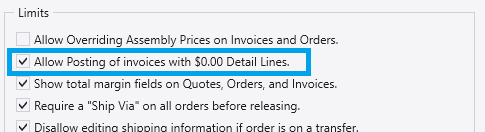
If you would rather Paradigm allow posting invoices with $0 prices, check the box to allow it in System > Company Preferences > Sales > Limits and check the box “Allow Posting of Invoices with $0.00 Detail Lines”.
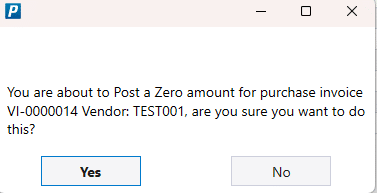
Sales and purchase invoices will still show a warning, even if posting $0 lines is allowed: You are about to Post a Zero amount for purchase invoice [Invoice Number] Vendor: [Vendor Number], are you sure you want to do this?