Managing EBizCharge Saved Credit Cards
Credit card payments can be processed through Online Payments or Manual Entry after Credit Card Processing has been set up. If Paradigm’s EBizCharge integration has also been set up, credit cards can optionally be saved.
Viewing and Deleting Saved Cards
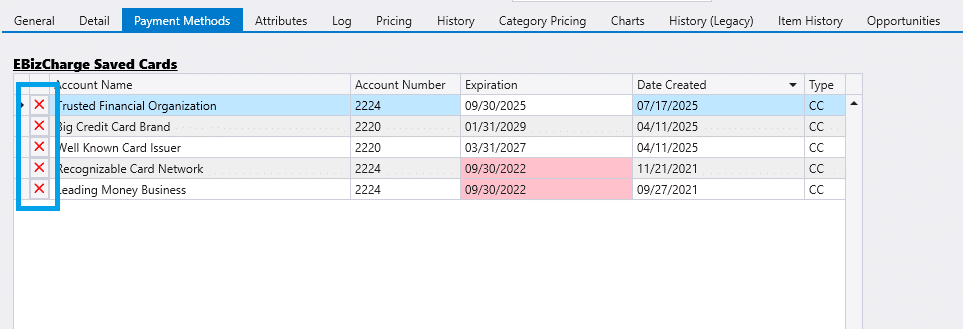
In the Payment Methods tab, saved credit cards can be viewed in the table EBizCharge Saved Cards. Clicking the red X next to a card entry will send the request to EBizCharge to delete it. Note that all card information displayed in this table is read-only, as it is retrieved from EBizCharge and is not stored in Paradigm’s database.