Production Multi-Build Printing
In order for multi-build printing to work, contact Paragon so that the production label can be modified to handle the data from this setting. Once that has be completed, follow that rest of these steps to set up and use it.
Video Overview
Production Multi-Build Printing
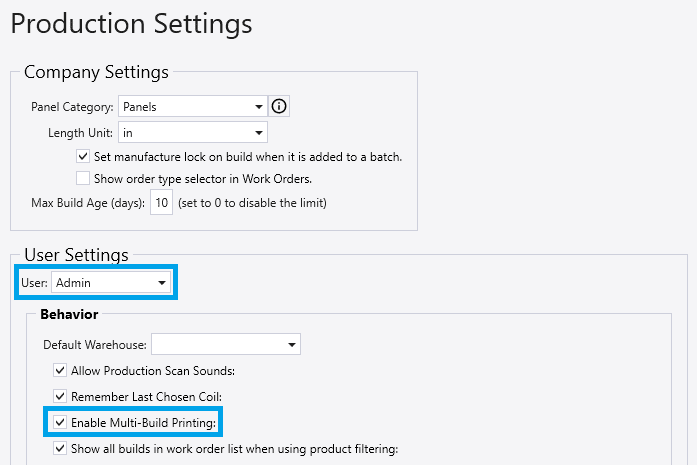
- To enable multi-build printing, go to Production > Production Settings and select it from the User/Report Settings
- This setting is user specific. In order to add it to another user, simply select that user from the dropdown and apply that setting.
- The next step is to then go to Production > Machine List and enable “Create Pull Label when Printing” on all the machines from which the user will be printing labels.

Printing from Work Order List
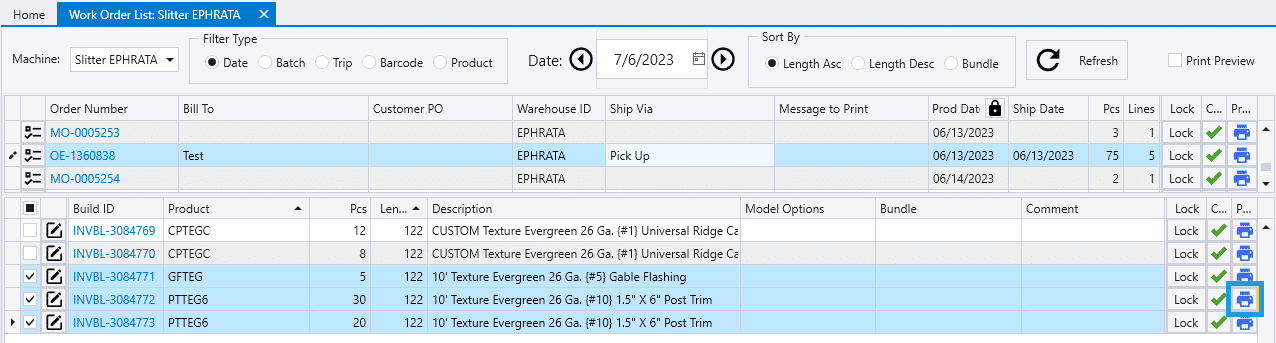
- To print multi-build production labels from the work order list, go to Production > Work Orders
- Then select the order from which to create the label.
- Select items from the build that will get printed on a label together, then click the print button on the right.
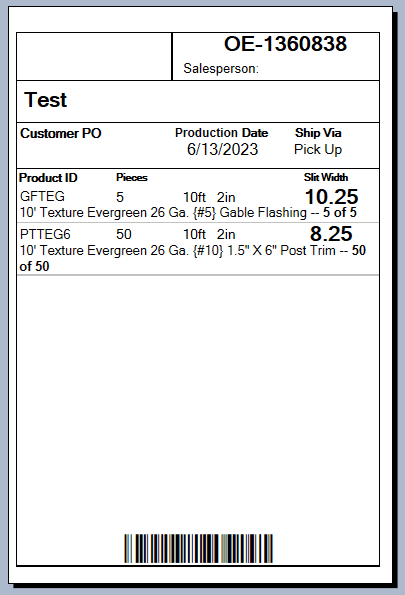
- A print preview for the label will then appear.
- Any items that are the same will be combined into one line on the label, like below where the “PPTEG6” was combined into a single line of fifty.
If the print button from the work orders list (highlighted below) is selected, the lines for that order will each be printed on their own label, even if the builds in it are selected.

Printing from Component Production List
- To print multi-build labels from the component production screen, go to Production > Component Production
- Then select the components to print together and click “Print Selected”.

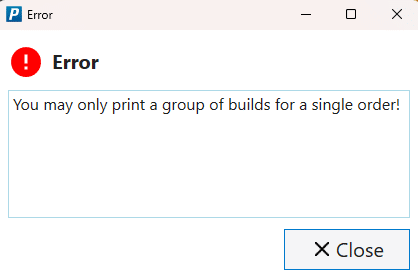
- Selected components from this list must be from the same order to print, otherwise this error will appear: “You may only print a group of builds for a single order!“.