
Uncomplete Builds from an Order
This FAQ will go over how to uncomplete a manufactured build from an order. This may need to be used for exported builds, as they cannot be uncompleted from the Recently Completed screen. Certain integrations, however, will allow purging from within Paradigm.
Uncompleting Builds
- Go to the order where the build needs to be uncompleted.
- Find the item in the order and select the folder icon

- From the Options pop-up, select
Build/Assembly
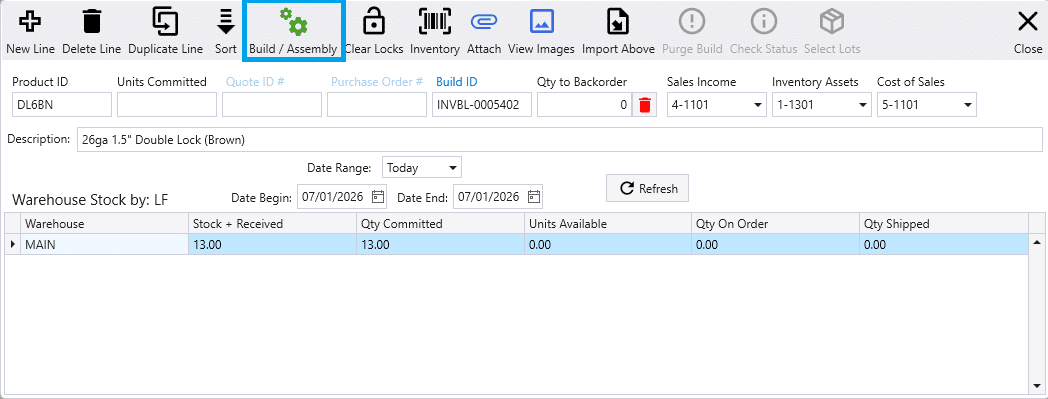
- Select
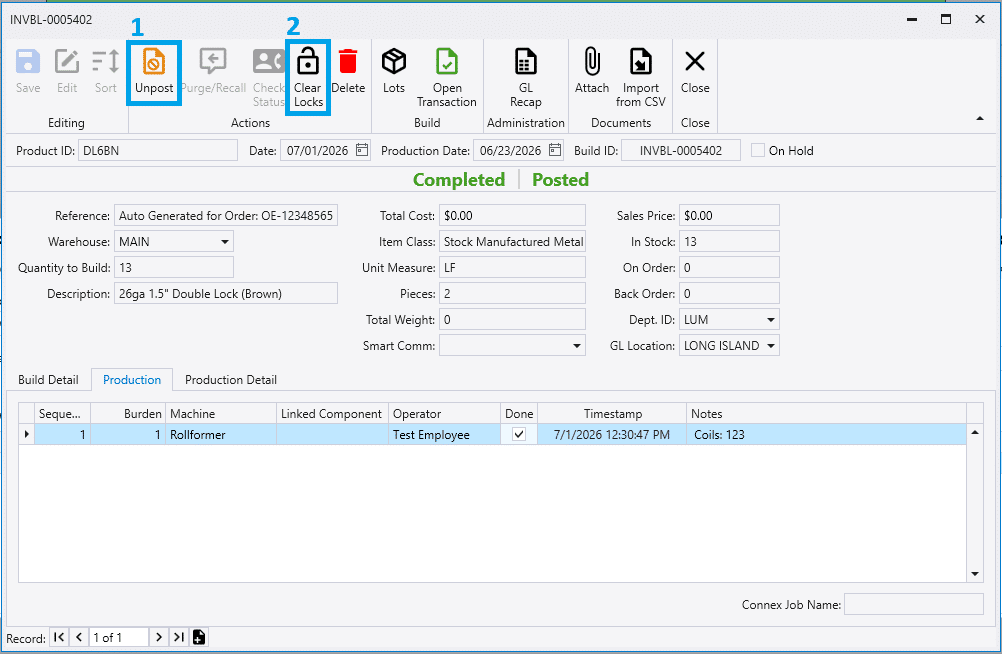
Unpostand thenClear Locksfrom the top menu.
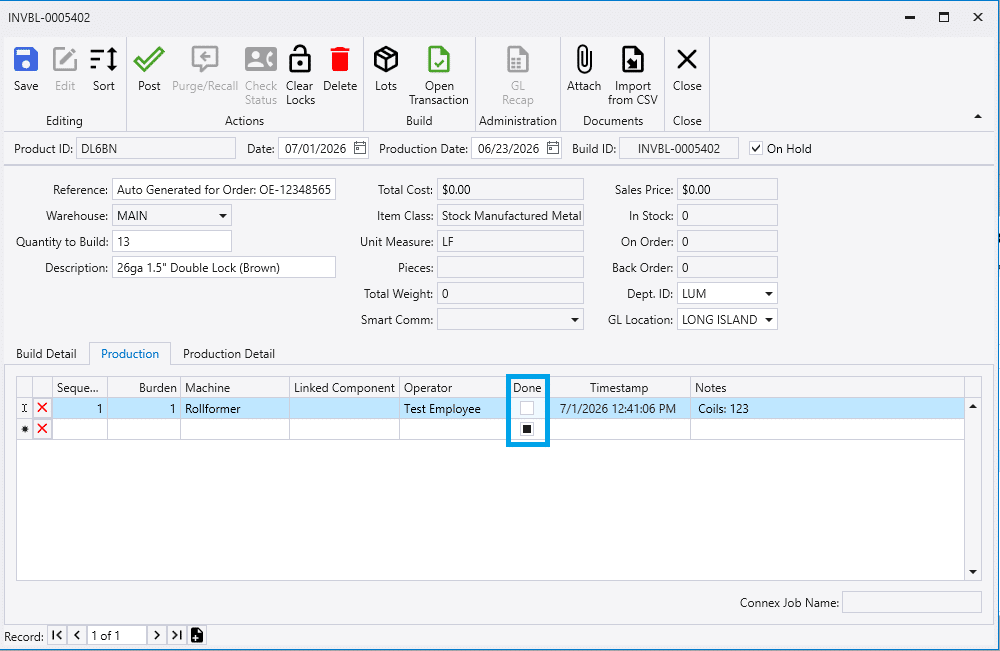
- Uncheck the production steps.
6. Make sure the On Hold option is unchecked
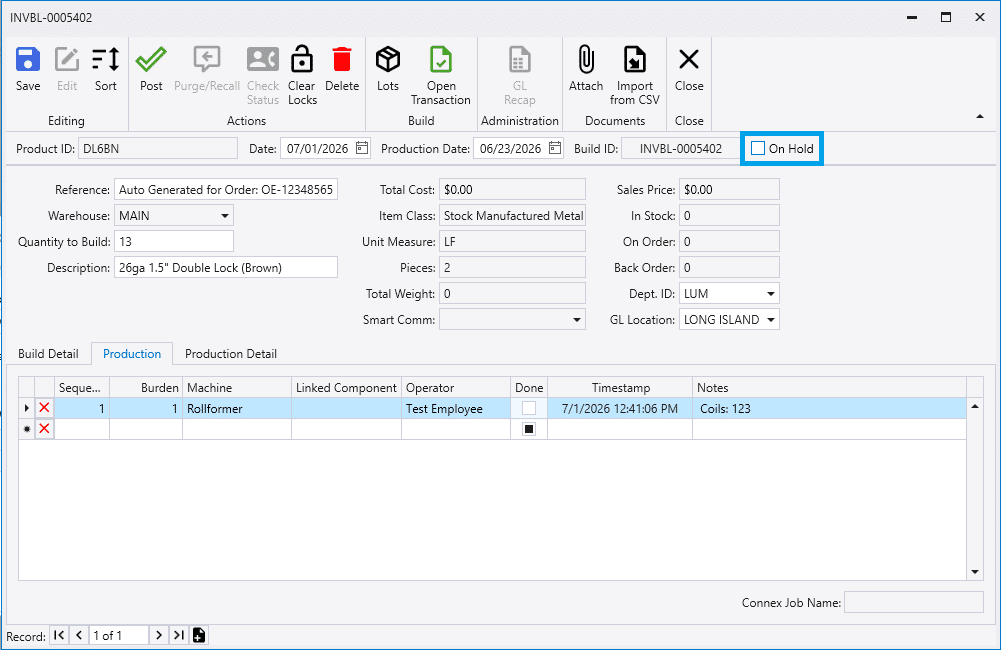
Once this is complete, the menu can safely be closed — the build will now appear in Production. If Production is already open, refresh the page to see it.