Pay Off Credit Card Balance
This FAQ will go over how to pay off a credit card balance in Paradigm.
The recommended way of paying off a credit card balance is through the withdrawals screen. Information on where to find the withdrawals screen, and how to create a withdrawal, can be found in this FAQ: Checks & Withdrawals
Create a Credit Card Company Vendor
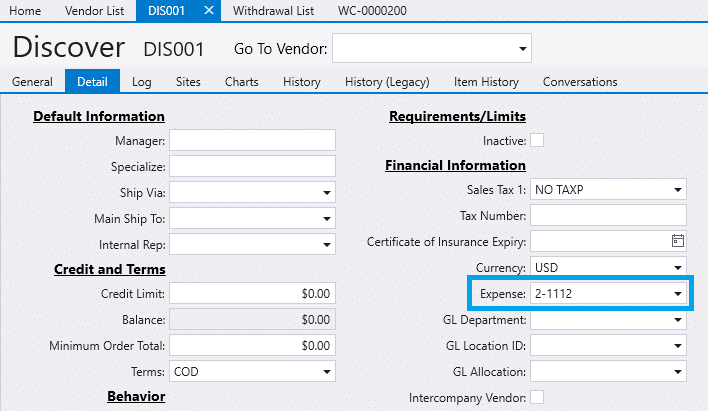
- If it does not already exist, create a vendor for the credit card company the payment is being made towards.
- Set the default expense account to the desired credit card GL account.
Recording the Payment
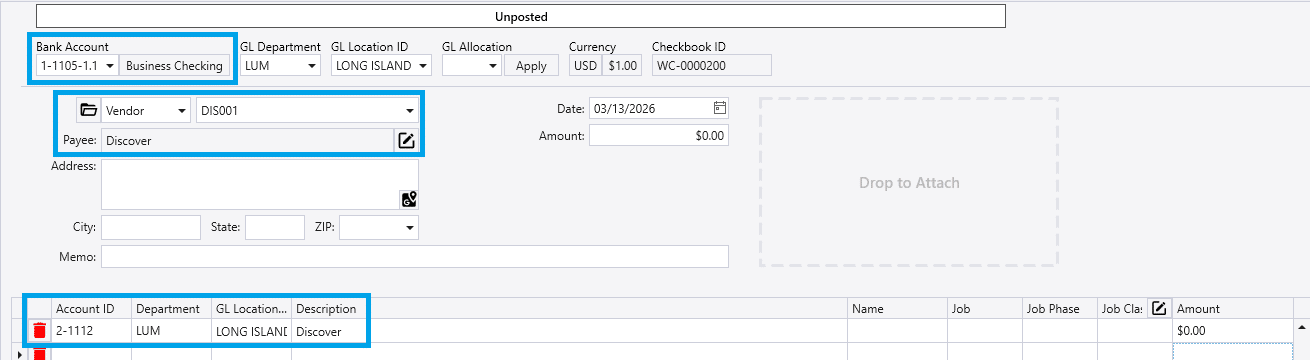
- Create a new withdrawal and select the credit card company vendor.
- This will auto-populate a row in the details, using the expense GL account that was selected in the vendor’s detail tab.
- Confirm that the selected bank account is the account from which the funds have been withdrawn.
- Change to the desired credit card GL account or add GL accounts in the details, as needed.
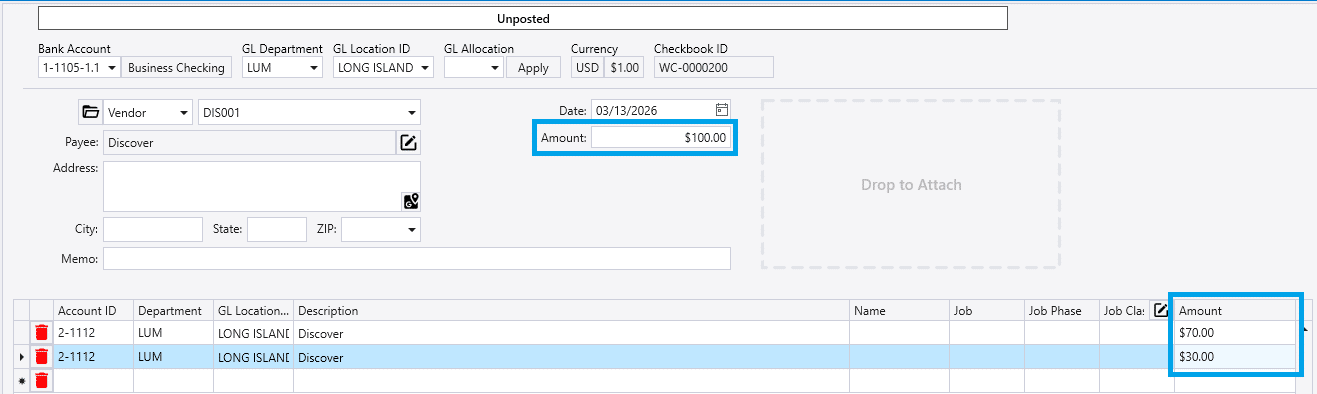
- Enter the payment amount, either in the header in the
Amountfield, or in the details.- The sum of the amounts in the details must be equal to the “Amount” field in the header.
- Once the payment information is finalized, click
Post