Vendor Sites
This FAQ will cover Vendor Sites, to set multiple locations for vendors.
Set Up Vendor Sites
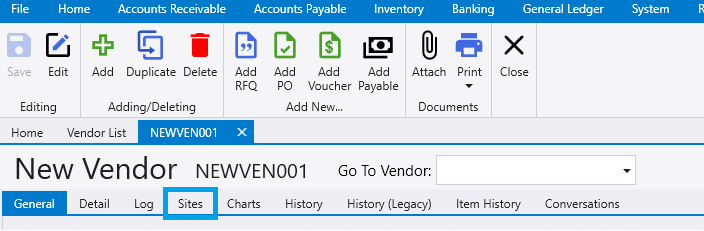
To set up vendor sites, go to the vendor and select the Sites tab.
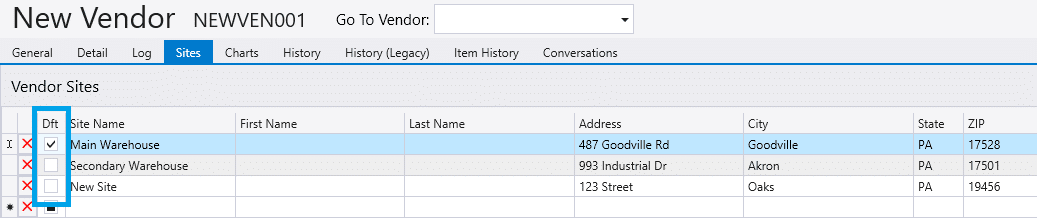
Next fill in the information for each different site that is needed for the vendor. There is no limit to the number of sites.

If one of these locations is used more frequently than others, check the box in the Dft field. This field sets that site as the default location.
Using Vendor Sites
Vendor Records
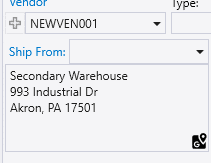
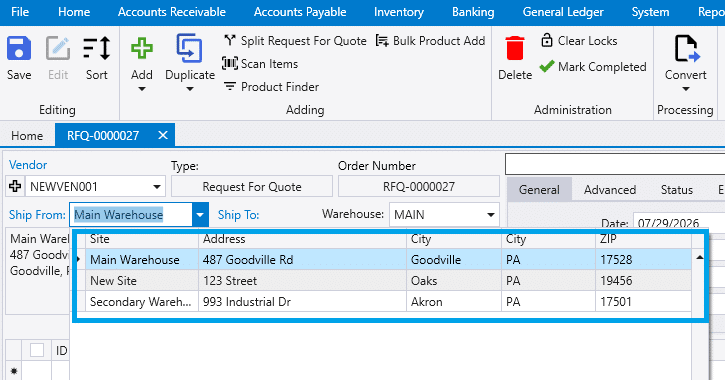
For records relating to Vendors (Requests For Quotes, Purchase Orders, Purchase Invoices), the Ship From dropdown has each site listed to select where the order was shipped from. The default site will be automatically filled in, however, if no site was marked as the default then the vendor address in the General tab will be filled in.
Purchasing agent
From the Purchasing Agent, enabling the Vendor Site column will allow a vendor site to be chosen to determine where the item should be ordered from.

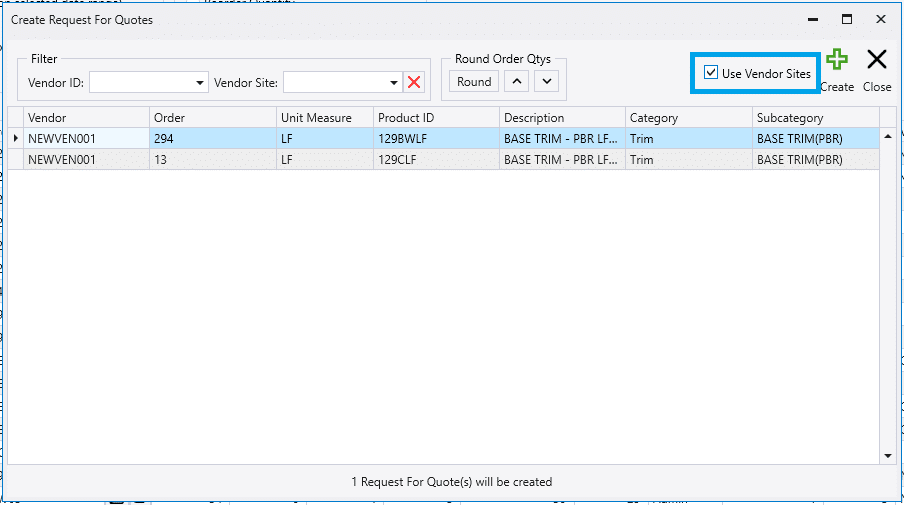
When a record is created from the Purchasing Agent selecting the Use Vendor Sites checkbox in the pop-up will auto-fill the selected site in the new records “Ship From” and “Bill To Company” fields.