Inventory Import: Replacement Products (Custom Trims)
This FAQ will cover importing replacement product IDs (Custom trim) into Paradigm. Putting Custom Trims as a Replacement Product on standard trims makes it easy to switch to a custom product of the same type. For more information on using Replacement Products see the Special Trim Set Up FAQ. For more information on importing or exporting data see the Inventory Import & Export FAQ.
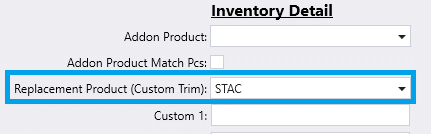
Import Replacement Products
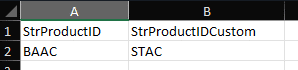
Export from the inventory list or create a list of Product IDs that require a replacement product in a spreadsheet. Fill the standard item ProductID in a column with the header StrProductID and the custom/replacement item with the StrProductIDCustom column header.
When all the information is correct, select Import from the footer of the inventory list.

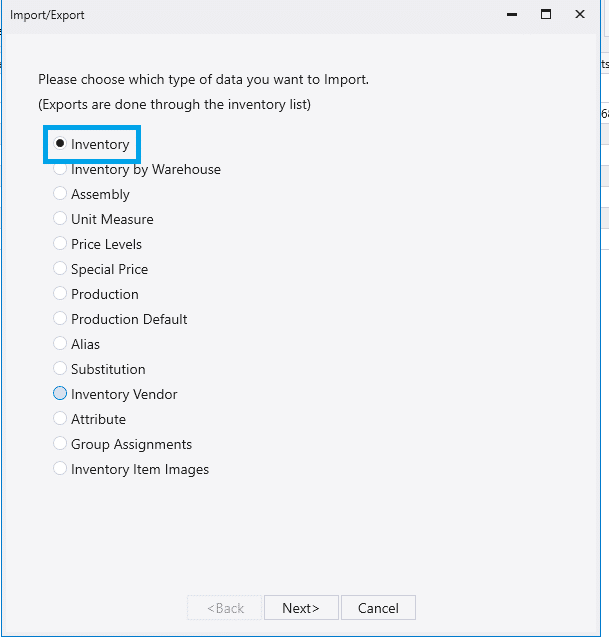
Select Inventory and then Next.
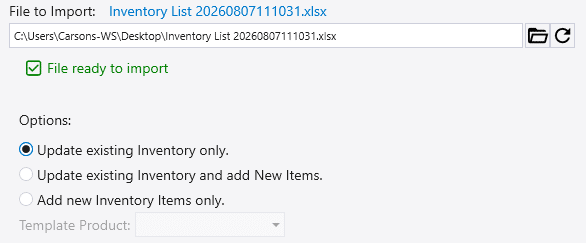
Select the correct import option and finish the import.