User Groups
This FAQ will go over how to create user groups in Paradigm. Tasks, conversations, and other forms can be assigned to a user group, to assign it to all users in that group.
Creating User Groups
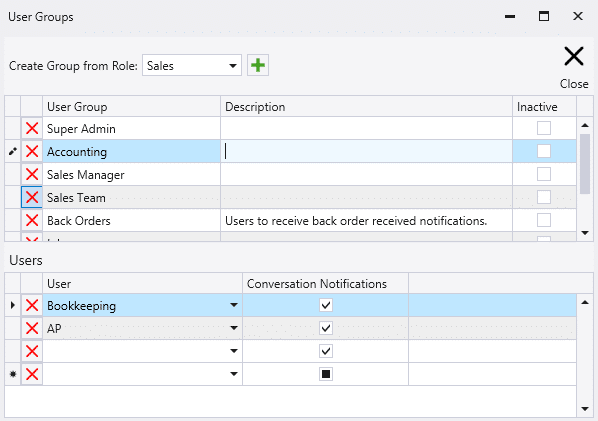
To create a user group, go to System > Company Preferences > User Groups. Groups can be created from scratch or by copying them from a user security role.
By default, all users in a User Group will receive notifications for new conversation messages. Unchecking Conversation Notifications will disable these notifications for that user.
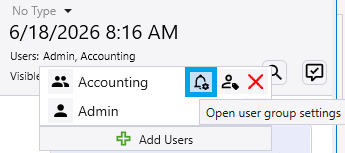
You can also access User Group settings from within a conversation. Click the “Users” line, then select Open User Group Settings — this option appears only if the conversation includes a User Group. This will open the User Group settings dialog.