Enable AI Features
This FAQ will go over how to enable the AI features in Paradigm ERP.
Important
Any features that use AI may produce incomplete or incorrect results. Always review the generated information for accuracy before saving or acting on it.
Enable AI Features
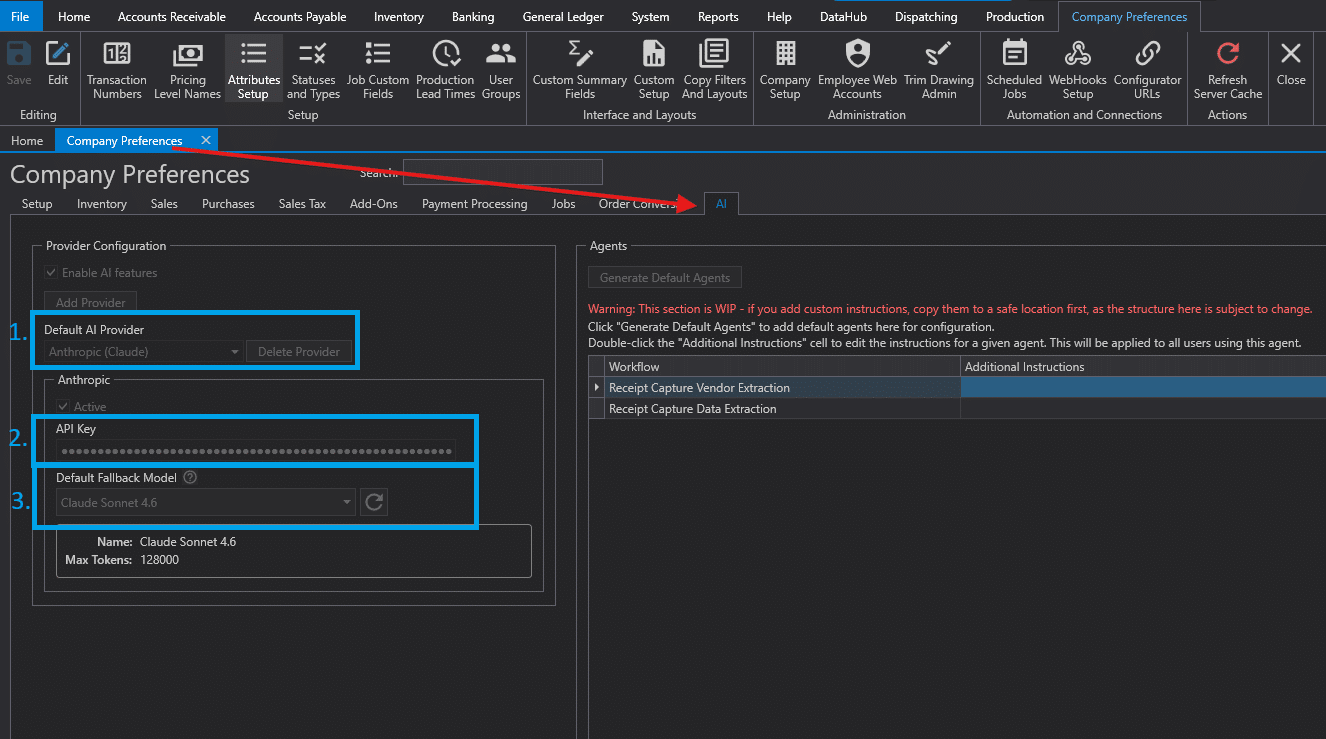
The AI setup requires an AI provider to be selected in the Default AI Provider field under Company Preferences > AI
- Select the AI provider in the
Default AI Providerfield. - Contact IT to configure an API key for the selected provider in Paradigm.
- After the key is set up, select the fallback AI model.
Compatible Claude Models
The following Claude models are known to work as fallback models in Paradigm:
- Claude Haiku 5.5
- Claude Sonnet 5
- Claude Opus 5
- Claude Sonnet 4.6