
Category and Subcategory
This FAQ will go over how to set up categories and subcategories. (Also spelled sub-categories or sub category.)
To start, open an inventory item and click the gear icon beside “Category” or “Subcategory”.
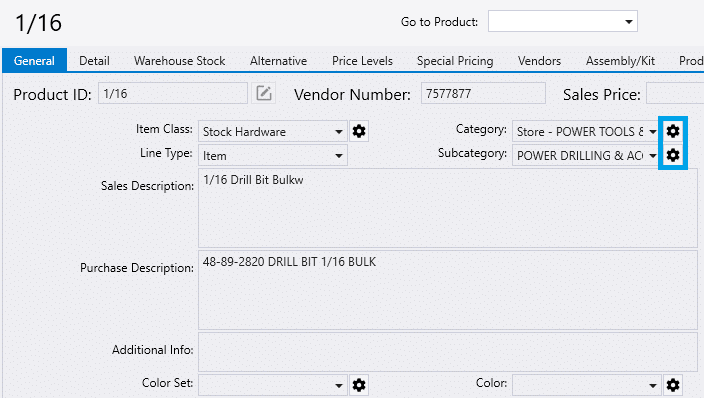
Add new categories or select an existing category to create subcategories for it. You can also go to Inventory > Inventory Settings > Inventory Categories to open the same window.
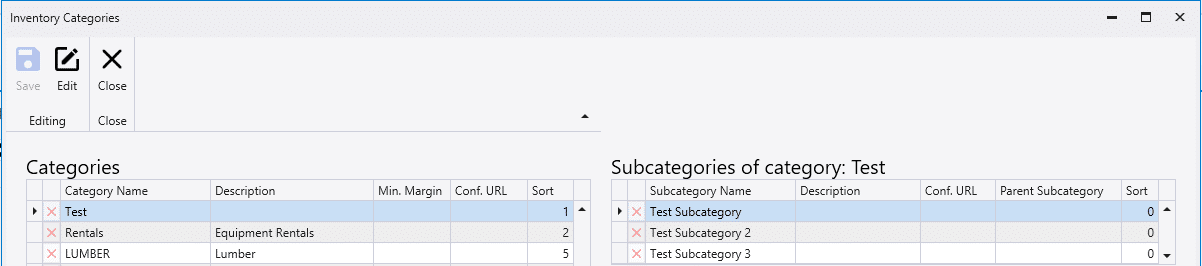
Categories
Min. Margin – This sets a minimum margin for all the items in the category.
Subcategories
Parent Subcategory – This is used for reporting purposes, to help create drill downs from subcategory to subcategory.