
Enabling the Claude Paradigm AI Connector
This FAQ goes over how to enable the Paradigm AI connector for Claude.
Requirements for the AI Connector
- The workstation Paradigm version is v822+.
- Claude Desktop for Windows is installed and signed in on that workstation.
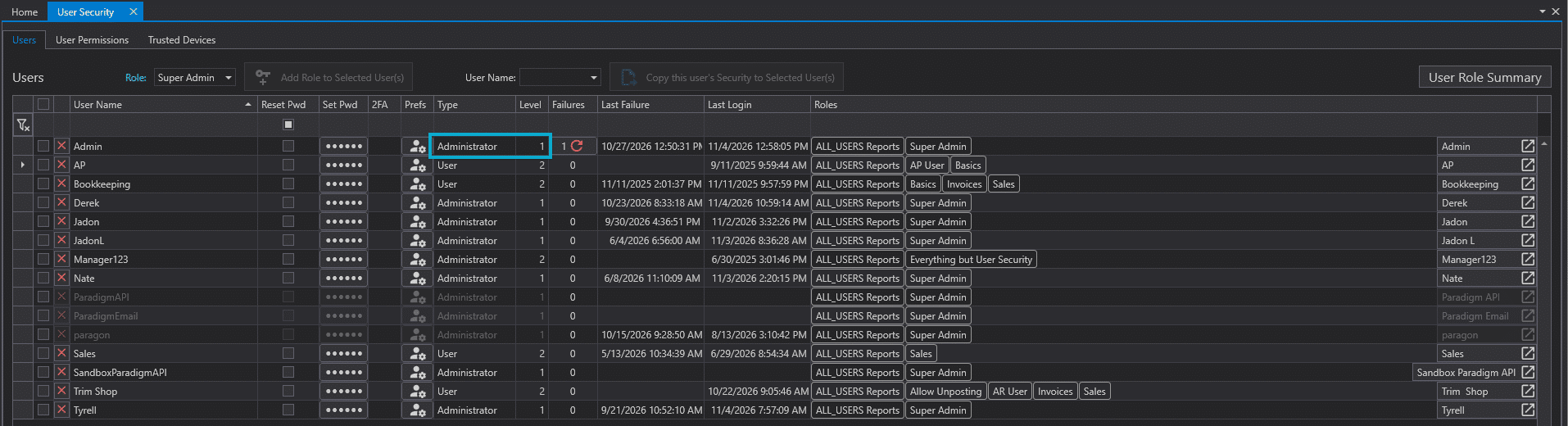
- The user is a level 1 Administrator. This is set in
Usersunder “User Security”
Enable the AI Connector
(1) Contact Paragon to enable the AI Connector
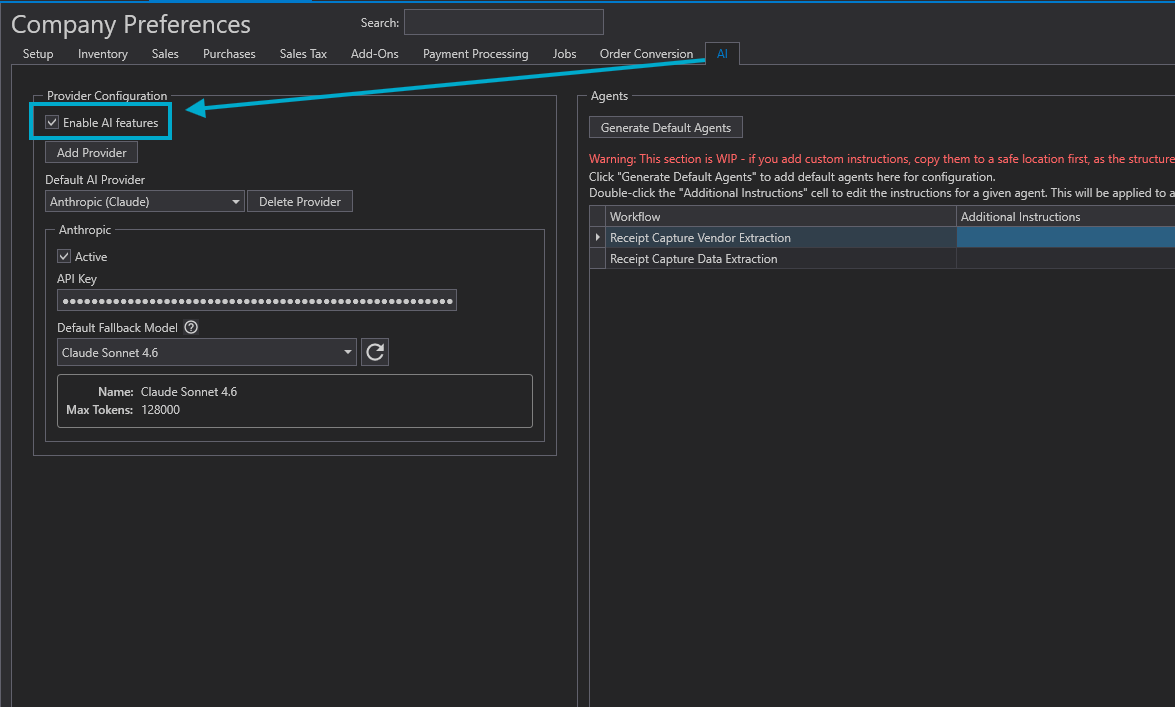
(2) In Company Preferences, select the AI tab, then check Enable AI Features.
(3) In User Preferences, confirm Use AI Features is checked. This setting is on by default.

(4) Have the user log out of Paradigm and log back in. Paradigm adds itself to the Claude configuration at login.
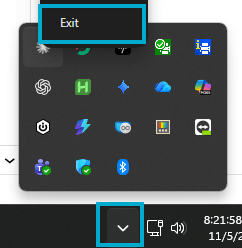
(5) Have the user force close Claude Desktop from the system tray, and then reopen it.
Note: Setting up the AI Report Designer agent permission is not required. Administrators receive it automatically the first time the tools are used.
Troubleshoot AI Connector Problems
| Symptom | Fix |
|---|---|
| No AI icon in Paradigm | Check steps 1-3 under Enable the AI Connector and confirm the user is a level 1 Administrator, then log in again. |
| AI icon shows, but no Claude button | Claude is not installed, or was installed after login. Install Claude, then log in again. |
| Claude does not list Paradigm | Close Claude and reopen it. |
| Claude says “Paradigm is not running” | Open Paradigm and log in. With several windows open, use the window showing the AI icon. |
| “Agent permission required” | Re-enable the AI Report Designer agent permission for that user. |
Disable the AI Connector
- One user: Turn off the AI Report Designer agent permission for that user.
- Contact Paragon to disable the AI Connector.