Un-Release Orders
This FAQ will go over how to “un-release” an order after it has been released to manufacturing.
Un-Release
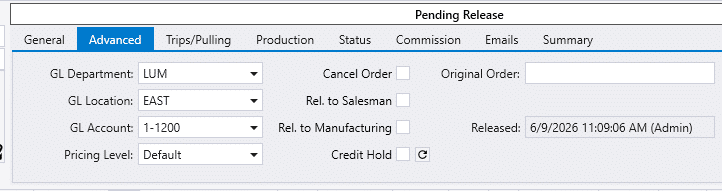
- First, go to the “Advanced” tab on the order and uncheck “Rel. To Manufacturing”.
- The date, time, and username of the employee who unchecked “Rel. To Manufacturing” will be logged.
- If there is any completed production or manufacturing, the order is locked and can’t be unreleased. Instead, the order can be assigned to an “On Hold” ship via.
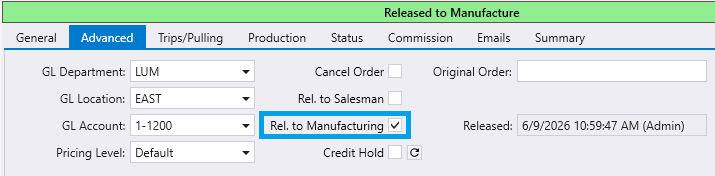
This will remove any released builds from production.