
Terminating Employees
This FAQ will go over how to mark an employee as terminated.
Terminating an Employee
First go to System > Employee List. The employee list can be filtered just like other lists in Paradigm.
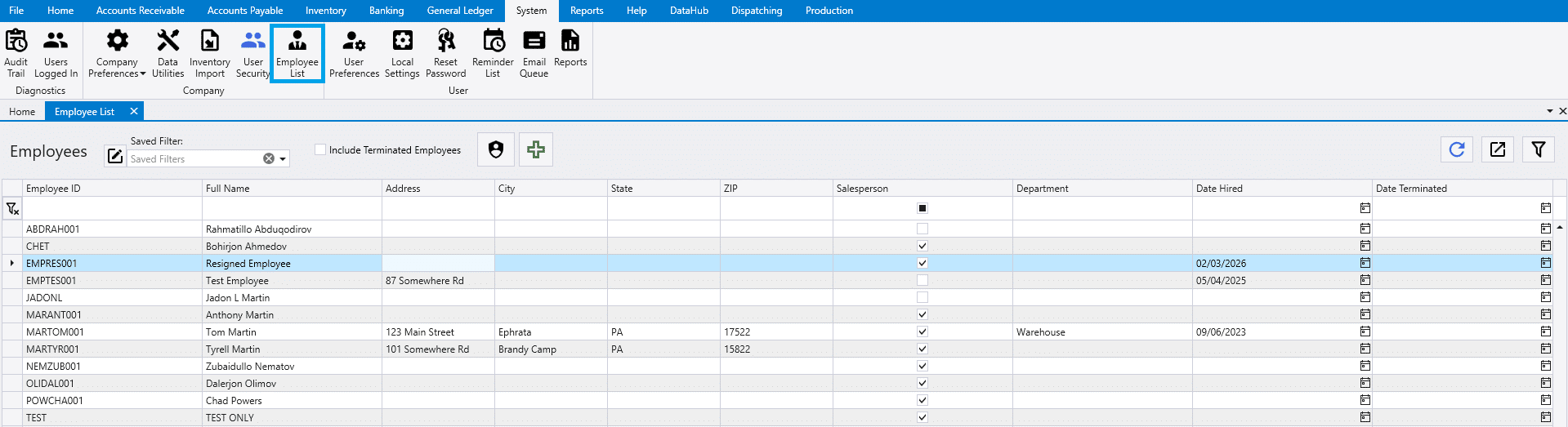
Next double click the employee that is terminated. In the employee’s profile, find the Date Terminated and fill in the correct date and save.
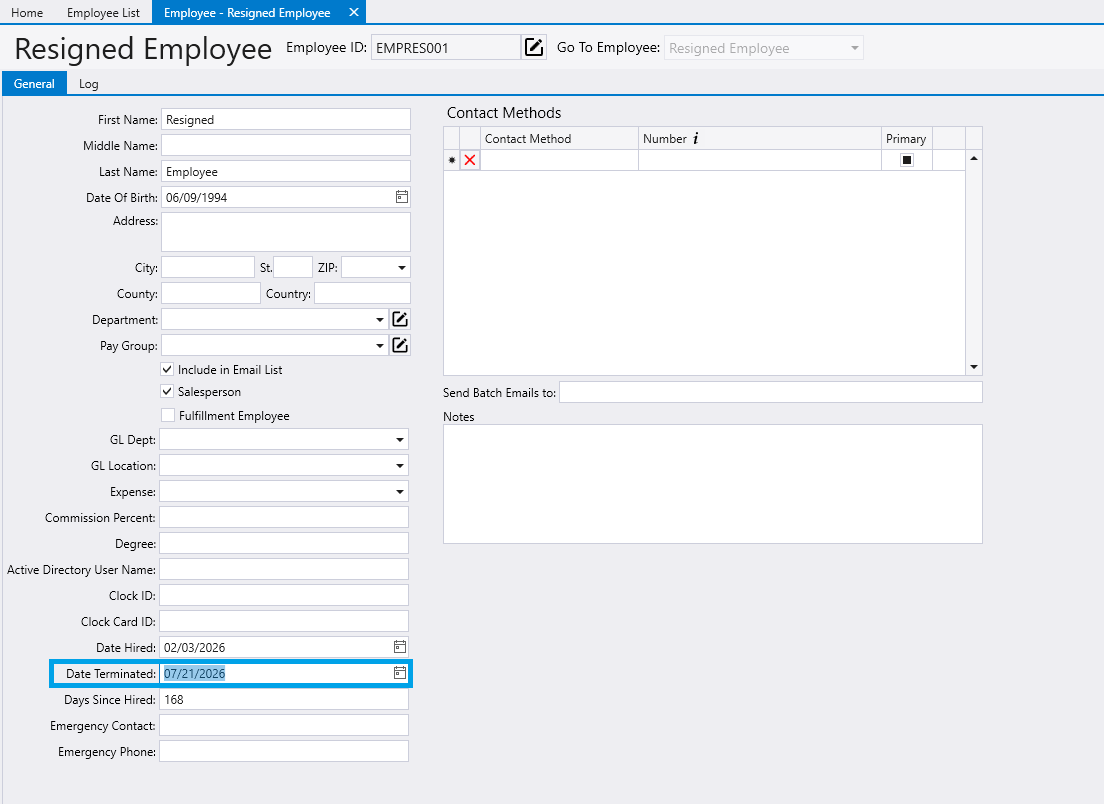
Once the changes are saved, the employee is terminated and will no longer appear in the employee list unless Include Terminated Employees is checked.
Note:
This process can be undone by clearing the “Date Terminated” field.
Effects of Terminating a Salesperson
When an employee designated as a Salesperson is terminated, any record listing that employee as the salesperson must have the salesperson field updated the next time the record is edited if Require salesperson before release or post is enabled in company preferences.