DataHub
This FAQ will go over the functionality of DataHub and the different types of data that can be transferred between companies that are both using Paradigm ERP. Written confirmation is required from both companies before a DataHub connection can be set up, even if only one company is going to receive data.
DataHub also has the option to receive POs directly from certain vendors, such as Do It Best and Orgill.
Contact Paragon Support for more information on pricing and getting DataHub connections set up. Information on DataHub preferences can be found here: DataHub: Preferences
Vendor Data From Customers
This section will go over the data that a vendor could be set up to receive from their customer(s).
Sales Orders
- When a customer releases a purchase order it will appear as a sales order for the vendor, if that is set up to be transferred.
- The orders can be imported individually or all as one order.
- The vendor’s order number will be sent back to the “Vendor Order Number” field on the customer’s PO.
- When the sales order is uploaded as a purchase order by the customer, the vendor that received the PO will be notified.
- When the purchase order is imported as a sales order by the vendor, the customer that sent the PO will be notified.
- Custom options in the purchase order can be imported as well.
- DataHub: Pending Orders
Customer Releasing PO

Vendor Importing As Sales Order

The data transferred from the customer to be received by the vendor includes the following:
- PO Number
- Date the PO was created
- Ship Date
- Date and Time the PO was uploaded
- Ship To address
- Items Ordered
Customer Data From Vendors
This section will go over the data that a customer could be set up to receive from their vendor(s).
Purchase Invoices
- When a vendor posts an invoice it will show up as a pending purchase for the customer, if that is set up to be transferred. It can then be imported as a purchase invoice in the customer’s system.
- This can be used to convert the POs to a purchase invoice.
- This can also be used to import the costs and pieces received onto the purchase invoice.
- DataHub: Pending Purchases

The Invoice data that will be received by the customer from the vendor will include:
- Order number
- Date
- Date and time uploaded
- Invoiced Items
Item Updates
- When a vendor and customer make changes to their sales prices, descriptions, or any other item change, it will show up in the item updates screen for the company(s) set up to receive those item updates.
- If the vendor’s sales price is updated, it will been shown as the updated cost for the customer. The customer can then use this to update their cost, as well as the sales price based on the item’s mark up amount.
- DataHub: Price Changes and Item Updates

The item data that will be received by the customer from the vendor includes:
- Descriptions
- Costs/Prices
- UPC Numbers
Fulfillment Pro – Pull Label Data
Fulfillment Pro pull label data can be transferred to the customer, so items being shipped from the vendor do not need to be relabeled and the existing pull labels can be scanned.
Purging From DataHub
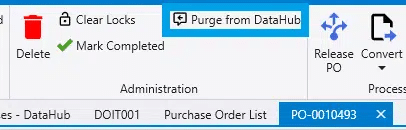
On Purchase Orders and Sales Invoices uploaded to DataHub, a Purge From DataHub button will appear in the administration section of the header. Clicking this button will attempt to “purge” or remove the transaction from the recipient’s DataHub. Once the recipient has imported or closed the transaction, it can no longer be purged to prevent duplicate uploads. See below for a few options on what can be done to purge if the transaction is already closed.
If the transaction needs to be purged after it has already been closed, use on of these options:
- Unpost the transaction.
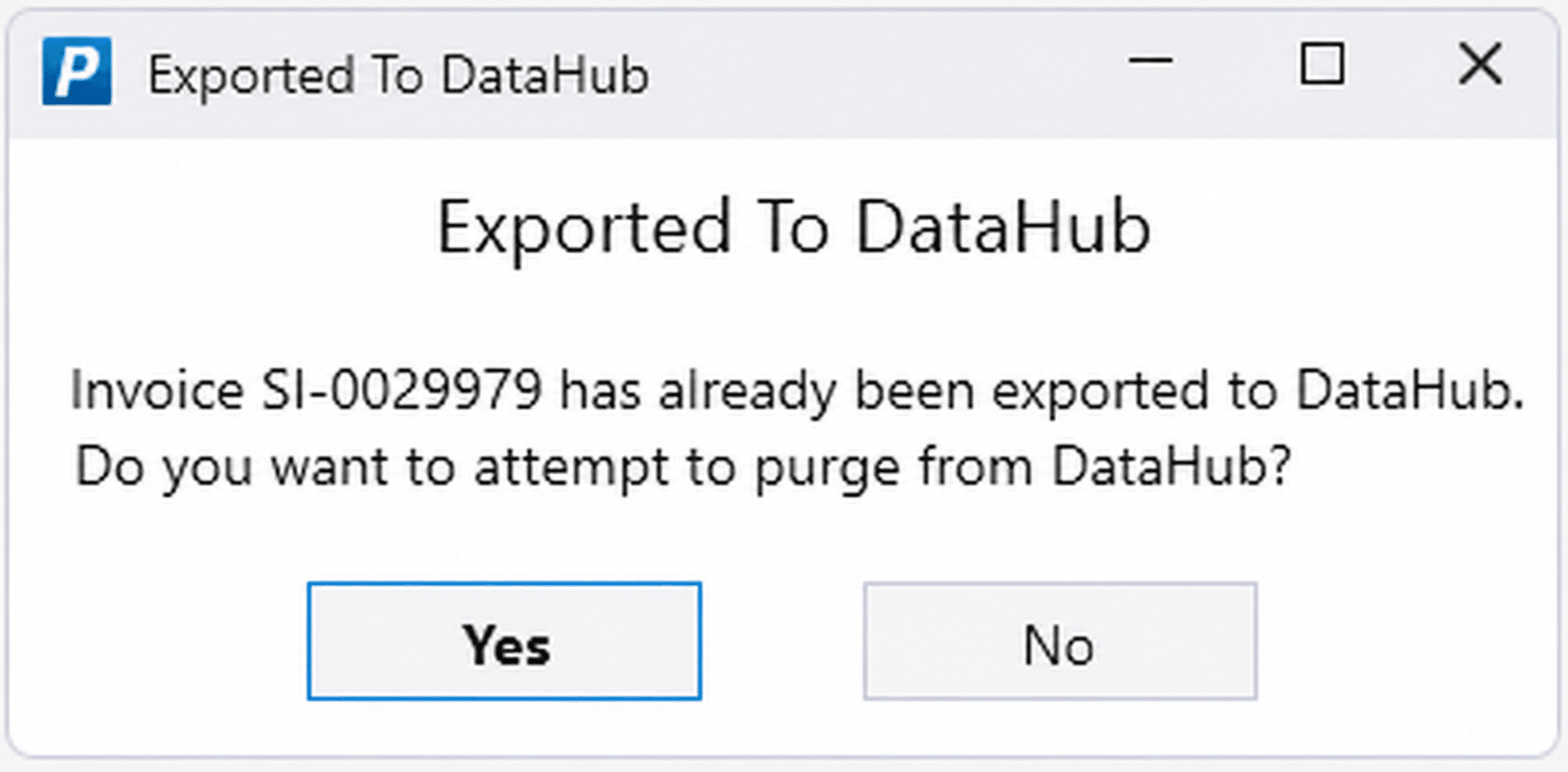
- Then when the prompt is given to attempt a purge from DataHub, select “No”. (screenshot below)
- If it is posted again it will not reupload to DataHub.
- Contact Paragon Support to manually purge the transaction.
- Paragon Support can change the configuration to allow purging on all closed transactions.
- The result of this is that once transactions are purged, the receiving company must also delete it on their end, so that there is not a double entry.