
Location Filtering
This FAQ will go over how to filter records depending on the location for each user.
Set Up
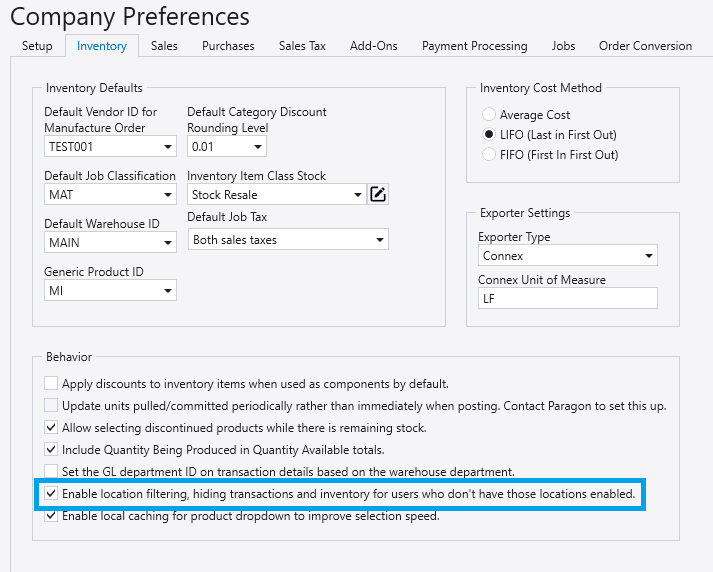
First, go to Company Preferences > Inventory > Behavior, ensure that the Enable Location Filtering is checked.
Customize Locations By Employee
Go to General Ledger > Departments, Entities, and Locations. From the User Assignments section, each employee’s location permissions can be edited from the locations box by selecting or deselecting the “Allowed” checkbox.
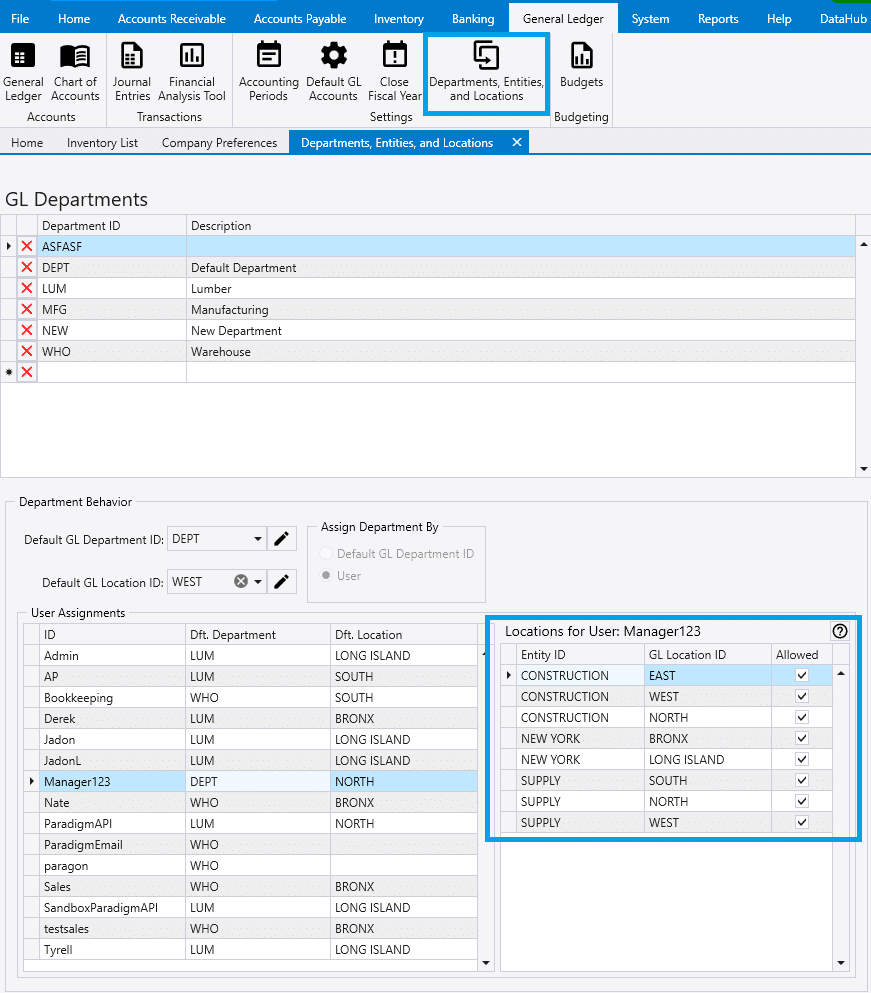
From here, selecting or deselecting the allowed column will filter which locations information is available to them. In this example, since Manager123 works at the NORTH location, they might only need information from NORTH.
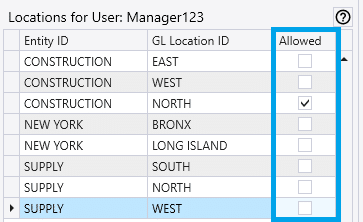
Now, Manager123 will only see inventory and transactions tied to the NORTH GL Location and items that are marked as keep stocked for a warehouse they are permitted view. Paradigm excludes transactions from other locations, though any transactions without an assigned location will still display. Each user can have different allowed locations suitable to their role.