
Local Settings
This article explains the options available in the Local Settings window. These settings control Point of Sale behavior, hardware such as printers and cash drawers, displays, payment processing, and other miscellaneous settings. These settings are workstation-specific: changes made in this window affect all users who will use the workstation. They do not save to the user who is setting them up, and they will not load on any other workstations for any users.
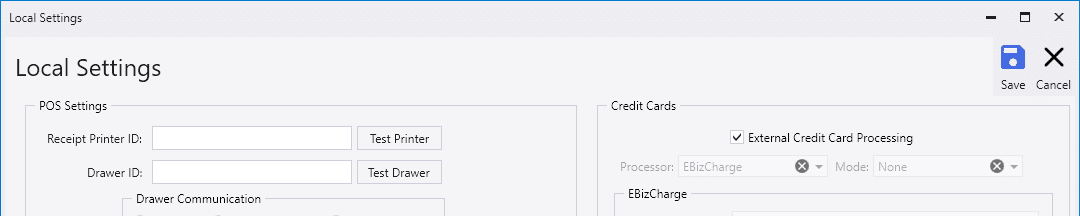
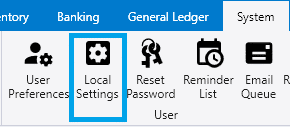
To open the Local Settings window, navigate to the System ribbon tab and click on the button Local Settings.
Point of Sale Settings
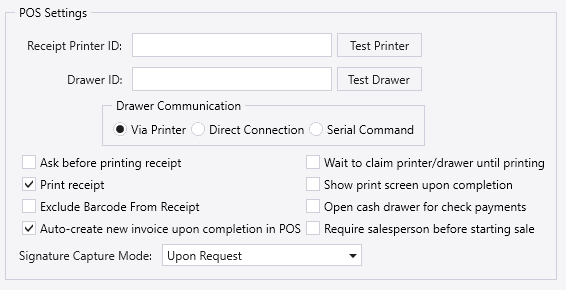
- Receipt Printer ID – Printer used for POS receipts. Click Test Printer to check if the printer is connected.
- Drawer ID – Cash drawer identifier. Click Test Drawer to check if the drawer is connected.
- Drawer Communication
- Via Printer – Drawer opens through the receipt printer.
- Direct Connection – Drawer connects directly to the workstation.
- Serial Command – Drawer opens using a serial command.
- Ask before printing receipt – Prompts before printing a receipt.
- Print receipt – Automatically prints a receipt after completion.
- Exclude Barcode From Receipt – Removes barcodes from printed receipts.
- Auto‑create new invoice upon completion in POS – Creates a new invoice after finishing the current one.
- Wait to claim printer/drawer until printing – Delays hardware locking until print time.
- Show print screen upon completion – Displays the print window when finished.
- Open cash drawer for check payments – Opens the drawer when paying by check.
- Require salesperson before starting sale – Requires a salesperson to be selected before any transactions can be created, edited, or completed.
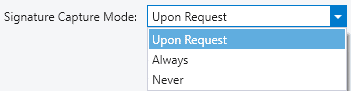
- Signature Capture Mode – Controls when signatures are captured. The options are Upon Request, Always, and Never.
Customer Display
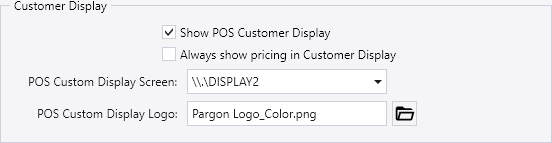
- Show POS Customer Display – When the Point of Sale window is opened, Paradigm will overlay the selected monitor with a Customer Display window that shows the transaction information and totals as it’s being entered into the user’s window.
- Always show pricing in Customer Display – Enable this setting to turn on showing prices on the customer-facing screen.
- POS Custom Display Screen – Selects the monitor used for the customer display.
- POS Custom Display Logo – Logo image shown on the customer display.
Miscellaneous
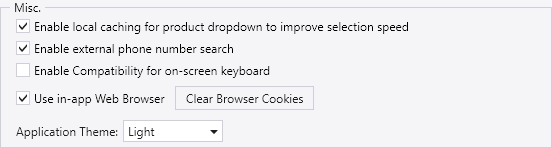
- Enable local caching for product dropdown – Enable this setting to allow Paradigm to create a data cache for product information so that searches within the product drop down within transactions loads from local storage rather than retrieving results via database query. This can improve loading speed for the product drop down.
- Enable external phone number search – Allows external phone lookups.
- Enable Compatibility for on‑screen keyboard – Improves behavior with touchscreen keyboards.
- Browser Settings – Paradigm has an internal browser that can be used for a couple of specific functions, such as showing addresses in Google Maps or opening the Trim Drawing Admin.
- Use in‑app Web Browser – This setting toggles whether Paradigm opens these internal functions within its own browser window docked as a tab in the program, or if the program hands off the requested web address to Windows and requests for it to be opened in the browser that is set in Windows Default Programs.
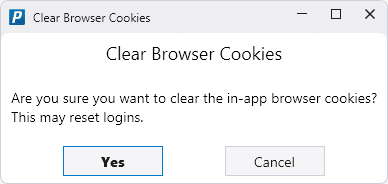
- Clear Browser Cookies – Clears the cookies from the built-in browser. A cookie is the small set of information that a website saves on a computer to speed up future page loading time or to remember preferences or login information.
- Application Theme – Set the application theme to Light or Dark.
Default Report Printers

Default Report Printers allows selecting which printer will be selected by default when a user prints a report. Additional rows may be added to the table as needed to set the defaults for more reports.
Credit Card Processing
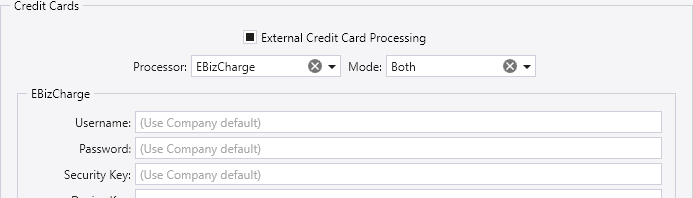
See the article Credit Card Processing for more information.