
Margin And Cost Visibility
This FAQ will go over how to show or hide the cost and margin on a transaction. These columns can be added and saved in the default company layout if they should always be shown, see the article Customize Transaction Form Layouts for more information.
The total margin at the bottom will only be shown if that company preference is enabled. See the article Show total margin fields on Quotes, Orders, and Invoices for more information.
How to Show and Hide
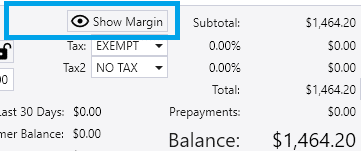
Show Margin Button
Use the toggle button at the margin total field Show Margin to show or hide cost-related fields (Cost, Cost Total, Margin, and Markup) and the Margin Total displayed at the bottom. The value can be affected by the setting in Company Preferences for subtracting a custom amount.
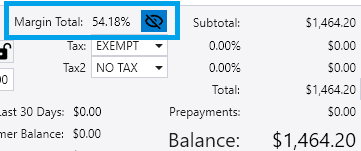

Double Click Sales Price

Double-click the Sales Price to show or hide cost-related columns (Cost, Cost Total, Margin, and Markup) and the Margin Total displayed at the bottom.
How to Show Margin by Default
To show the desired cost-related columns by default, the instructions below explain the process of using the column chooser to make the columns visible, and then saving the layout to be the Company Layout for the window.
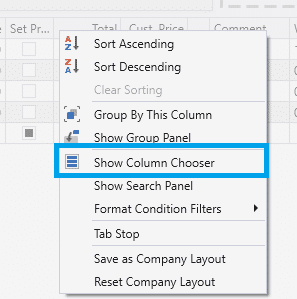
1 – Right click the transaction detail header and select Show Column Chooser.
2 – Select the Margin columns that are needed.
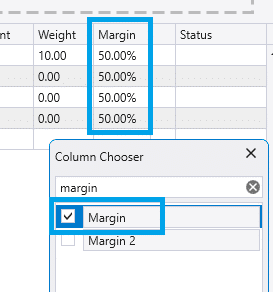
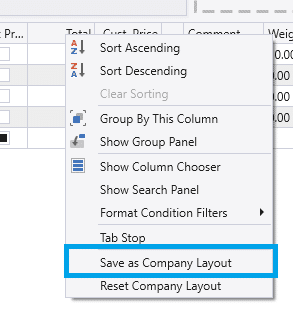
3 – Right click the transaction detail header and select Save as Company Layout to save this change.
How to Hide by Default
To reset the view for a window that includes a cost-related column back to the program’s default, right-click on any column header and choose the option “Reset Company Layout.” Cost-related columns are hidden within the program’s default layout.
Alternatively, use the steps from the previous section for showing the cost-related columns, but instead unchecking them all. Then, right-click on any column header and choose the option “Save as Company Layout.”