
Trip Statuses
Trip statuses are used in Paradigm, Driver App, and Fulfillment Pro. They are used to show the current status of the trip.
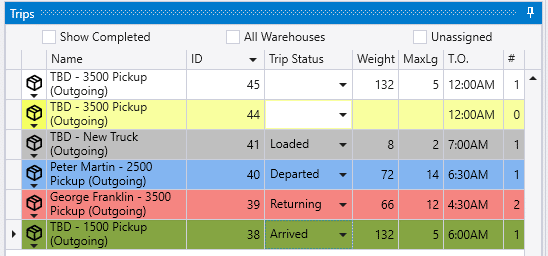
Once a trip status has been set, the color for on that row on the list will change in Daily Deliveries on the order list and on the truck summary list.
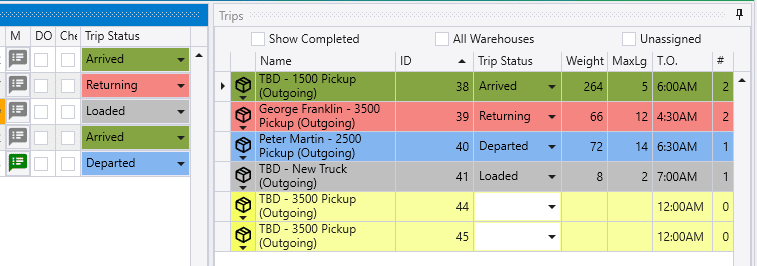
This will also be shown in the header on the Trip Info screen.

In Fulfillment Pro, the trip status can be viewed or changed by clicking on the “Trip Details” button.
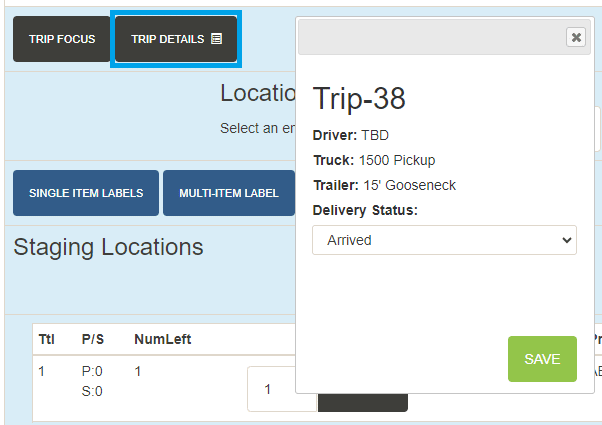
If that button is not displayed, the “Allow Editing Trip Details” setting will need to be enabled for that user in the Fulfillment settings.

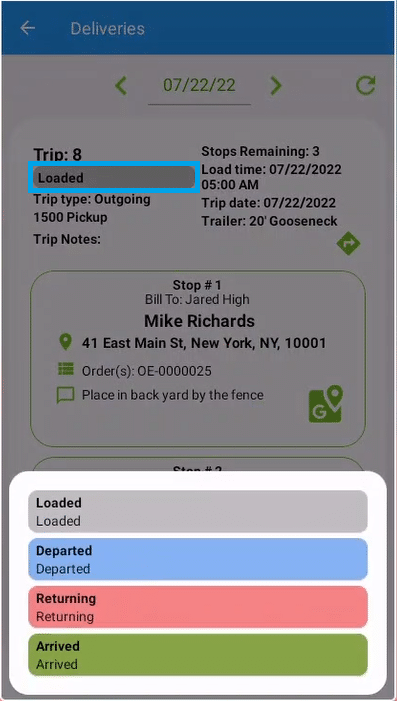
In the Driver App, it can be changed by tapping on the status by the trip ID and selecting one from the list.
Creating Trip Statuses
Trips statuses can be created by going to Dispatching > Options > Trip Statuses and clicking the “Add” button.
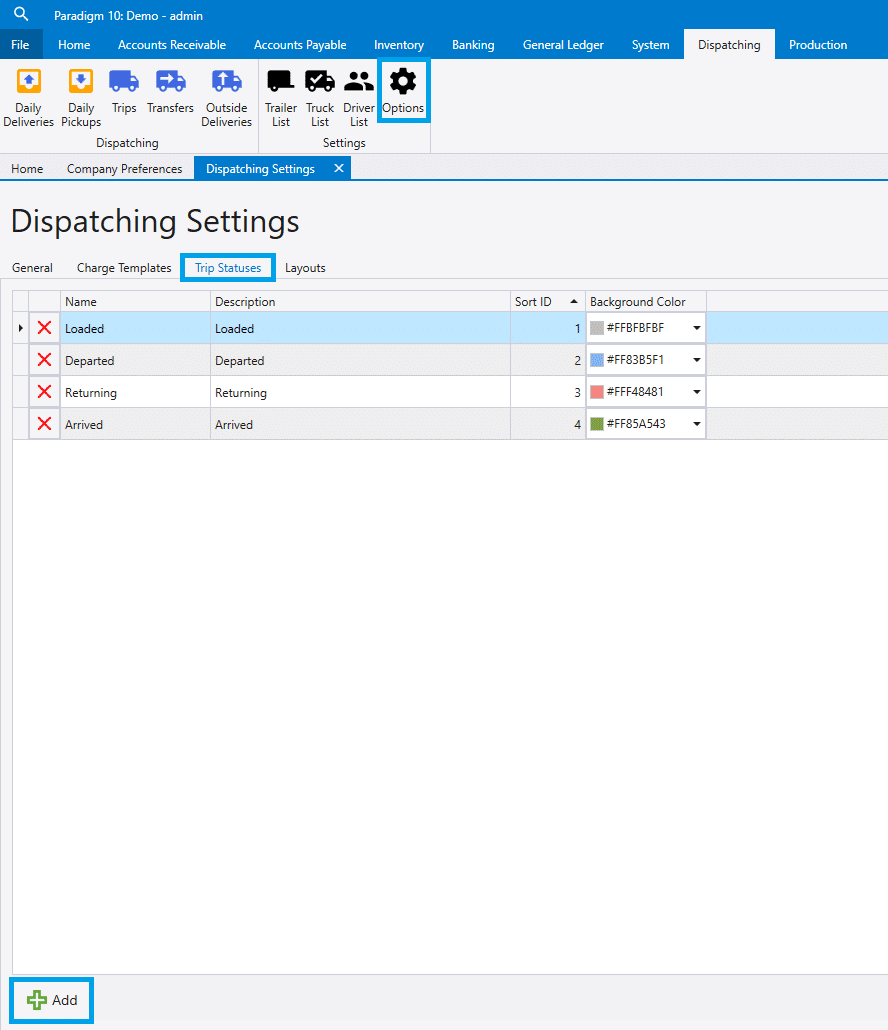
Enter the name, description, sort ID, and choose the color it will be highlighted in on the lists.